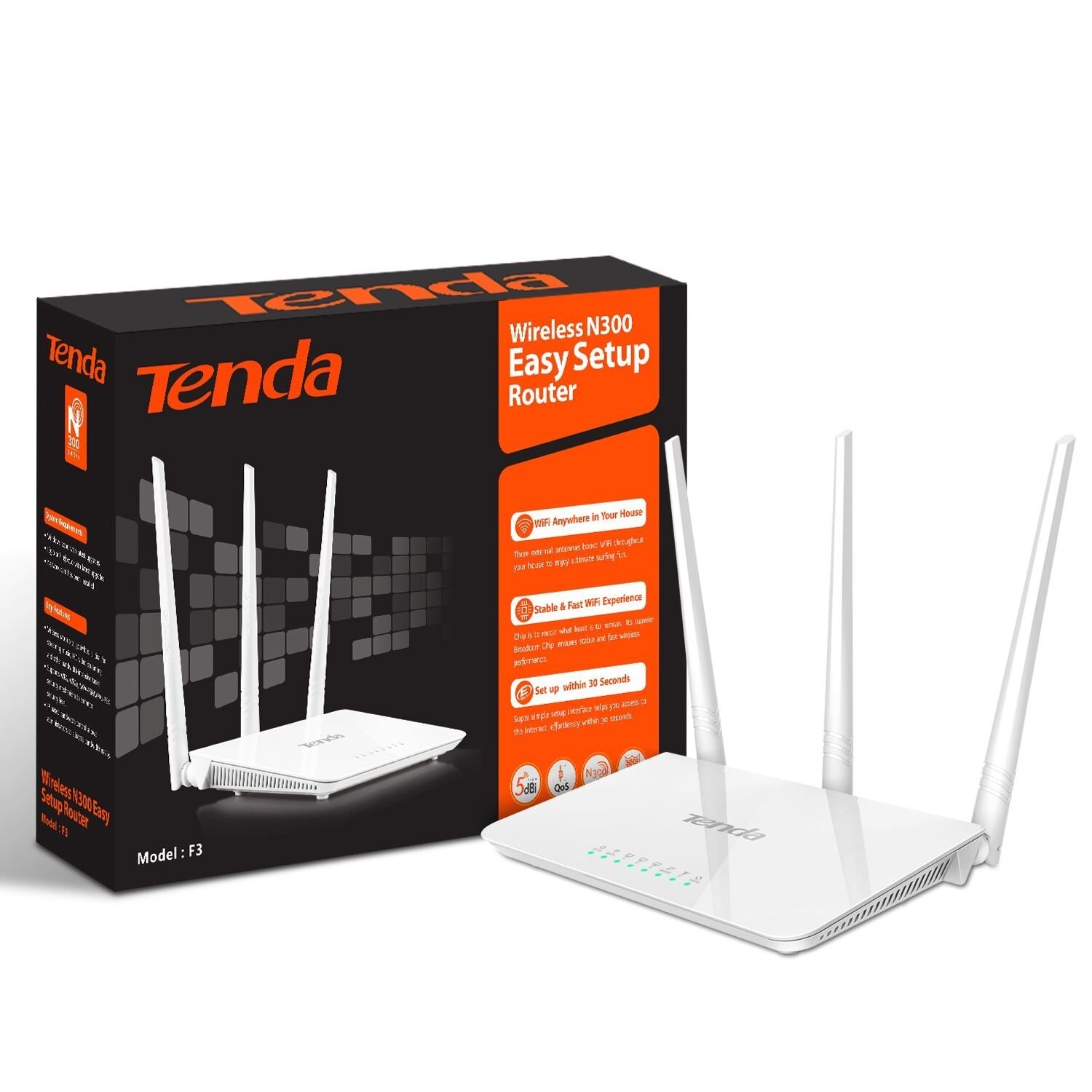
Tenda 300Mbps Wireless Router F3 F3 is specially designed for your smart home networking life .Chip to router what is heart to human. Its superior Advanced Chip ensures stable and fast wireless performance, making it ideal for streaming music, uploading photos, video chatting, HD video streaming and other bandwidth-intensive tasks. Easy setup interface makes you can enjoy fluid WiFi experience effortlessly . No matter you are a tech-savvy enthusiast or a first-time user, F3 is super easy and intuitive to setup without time-consuming operations. F3 makes you enjoy a easy and freewheeling E-life. Specification Certification CE ROHS 3C EAC NOM IC Humidity Operating Environment:10% ~ 90% RH Non-condensing Storage Environment:5% ~ 90% RH Non-condensing Temperature Operating Environment:0℃ ~ 40℃ Storage Environment:-40ºC~70ºC Dimension 127.4mm*90.5mm*26mm DHCP Server Support System Tool Network Time, Sys Upgrade, Backup/Restore, Factory Default, Login Password, Sys Logs, Restart. Safety WPA Algorithm: AES, TKIP, TKIP&AES Wireless Access Control: MAC Address Filtering Antenna 3x5dBi external undetachable antennas Power Consumption 1.9W(no load)~3.3W(full-load) Power Supply DC 9V 600mA Button 1*WPS/RESET LED SYS, WiFi, LAN(1-3), WAN, T, WPS Frequency 2.4GHz Interface 1*10/100M auto-negotiation WAN port 3*10/100M auto-negotiation LAN ports Standard&Protocol IEEE802.11/b/g/n Speed 300Mbps over 2.4GHz band # NAME TYPE DATE FILE Download 01 F3 Firmware V12.01.01.48_multi Firmware 2018-12-04 02 F3 Firmware V12.01.01.42_EN Firmware 2018-07-20 03 F3 Firmware V12.01.01.41_multi Firmware 2018-05-22 04 F3 Firmware V11.13.01.23_EN Firmware 2016-04-19 05 F3 Firmware V11.13.01.06_EN Firmware 2015-07-16 06 F3V2.0 User Guide Manual 2017-12-12 07 F3 User Guide Manual 2016-01-27 08 F3 HD Image HD Image 2015-07-16 09 F3 Datasheet Datasheet 2016-01-27 10 F3 Globalization Installation Guide Guide 2018-05-28 11 F3 Installation Guide Guide 2016-01-08 12 F3 CE CE 2017-06-07 FAQ 01 (Tenda)F3-How to setup WISP mode FAQ 2018-09-25 02 (Tenda)F3-How to setup Universal Repeater FAQ 2018-09-25 03 (Tenda)F3-How to setup Port Forwarding FAQ 2018-09-25 04 (Tenda)F3-How to make a parent control FAQ 2018-09-25 05 (Tenda)F3-How to control the internet speed or internet access of other device connected with your router FAQ 2018-09-25 06 (Tenda)F3-How to change your SSID and password FAQ 2018-09-25 07 (Tenda)F3-How to setup AP mode FAQ 2018-09-25 08 (Tenda)F3-How to setup Dynamic IP(DHCP) Mode FAQ 2018-09-25 09 (Tenda)F3-How to setup PPPOE Mode FAQ 2018-09-25 10 (Tenda)F3-How to setup Static IP Mode FAQ 2018-09-25 11 (Tenda)F3-How to bind the IP address with your device FAQ 2018-09-21 12 F3(Ecos)-How to setup Static IP mode FAQ 2016-03-31 13 F3(Ecos)-How to setup PPPoE mode FAQ 2016-03-31 14 F3(Ecos)-How to setup Dynamic IP(DHCP) mode FAQ 2016-03-31 15 F3(Ecos)-How to setup WISP mode FAQ 2016-03-31 16 F3(Ecos)-How to setup universal repeater mode FAQ 2016-03-31 17 F3(Ecos)-How to change wireless SSID and security key FAQ 2016-03-31 18 F3-How to setup the router for PPPOE internet connection mode FAQ 2015-06-18 19 F3-How to setup the router for Dynamic IP internet connection mode FAQ 2015-06-18 20 F3-How to setup the router for Static IP internet connection mode FAQ 2015-06-18 21 How to setup universal repeater mode for F3 FAQ 2015-06-16 22 F3-How to change the WIFI name and WIFI password FAQ 2015-06-16
Related products
-
Allen Key Tool Red $ 81.00
-
D&T Screw Drive Large $ 51.02